
Welcome to Raily 5
You lay track, see what fits, and know at the end which track material you need.
Raily began in 1991 as an "Electronic track template for Märklin plastic and metal track" — a program that replaced the plastic templates you'd otherwise lay out on the table. The original purpose has stayed the same; Raily has, however, learned a few things since. Today it supports track from more than seventy manufacturers. The layout can be shown in three dimensions, trains run on it, and terrain, tunnels and bridges appear right along with it.
What you can use it for
- You have track and want to see what you can make of it. Tick off your track system and get going. The Inventory tells you at the end what you're still missing.
- You have an idea and want to see whether it works. Lay track, try out different variants, and see right away what fits.
- You don't have room for a real layout. So build it virtually instead, with terrain, light, time of day and trains doing their rounds.
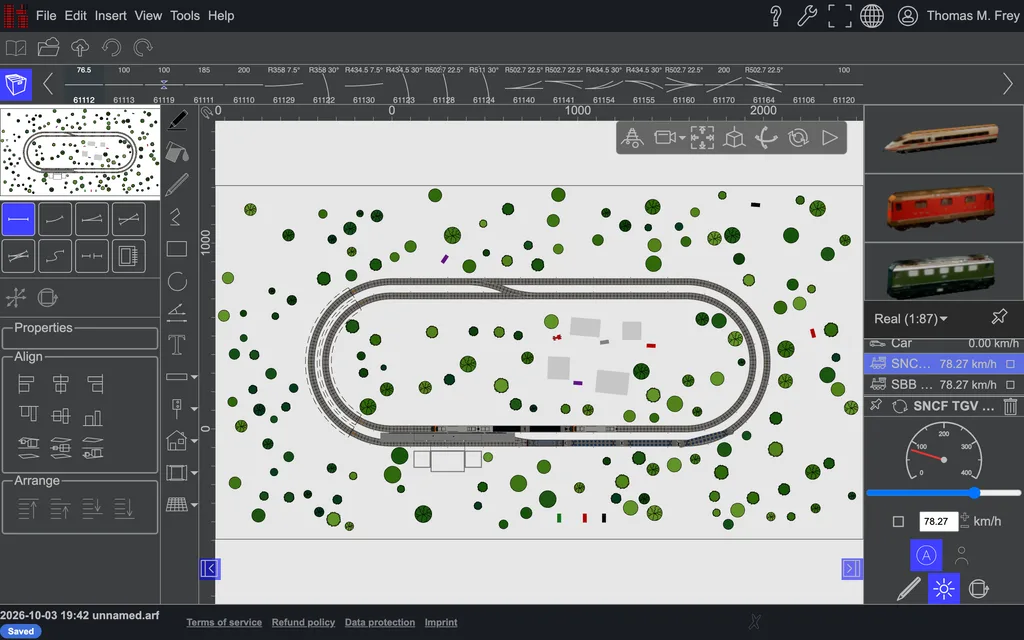 Planning happens flat, from above: this is where the dimensions are accurate, where you measure
and print.
Planning happens flat, from above: this is where the dimensions are accurate, where you measure
and print.
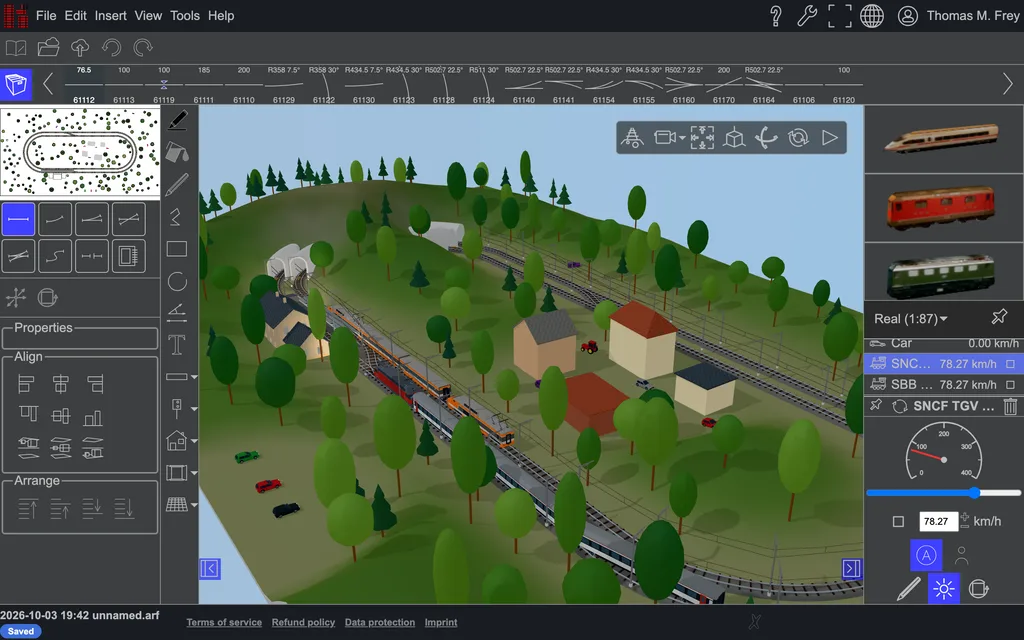 And the same plan in three dimensions, with terrain, buildings and trains running.
Here's where to start
Getting started leads you through seven steps, from the first rail to a fully built-out layout. Set aside the first hour for it; you'll find everything else on your own after that.
If you're looking for something specific
| Chapter | Contents |
|---|---|
| Getting started | from the first rail to the second level, step by step |
| Basics | moving around, selecting, hitting a point precisely, layers |
| Planning track | modules, flex track, ramps, annotations, tunnels, signals |
| Trains, walkers and cameras | assembling a train, placing it on the track, riding along |
| Objects and shapes | everything that isn't track: moving, drawing, building solids |
| Terrain | terrain, sky and light |
| Import, export and printing | what goes into the plan, and what comes out of it |
| Setup and management | settings, backup, account, license |
| Reference | troubleshooting, keyboard shortcuts, limits, glossary |
And if you're looking for a specific word: the field at the top right searches the whole manual.
Prefer paper? The whole manual is also available as a printable PDF.